
Neteller Security Tips for Betting: Protect Your Account and Winnings
 Available in US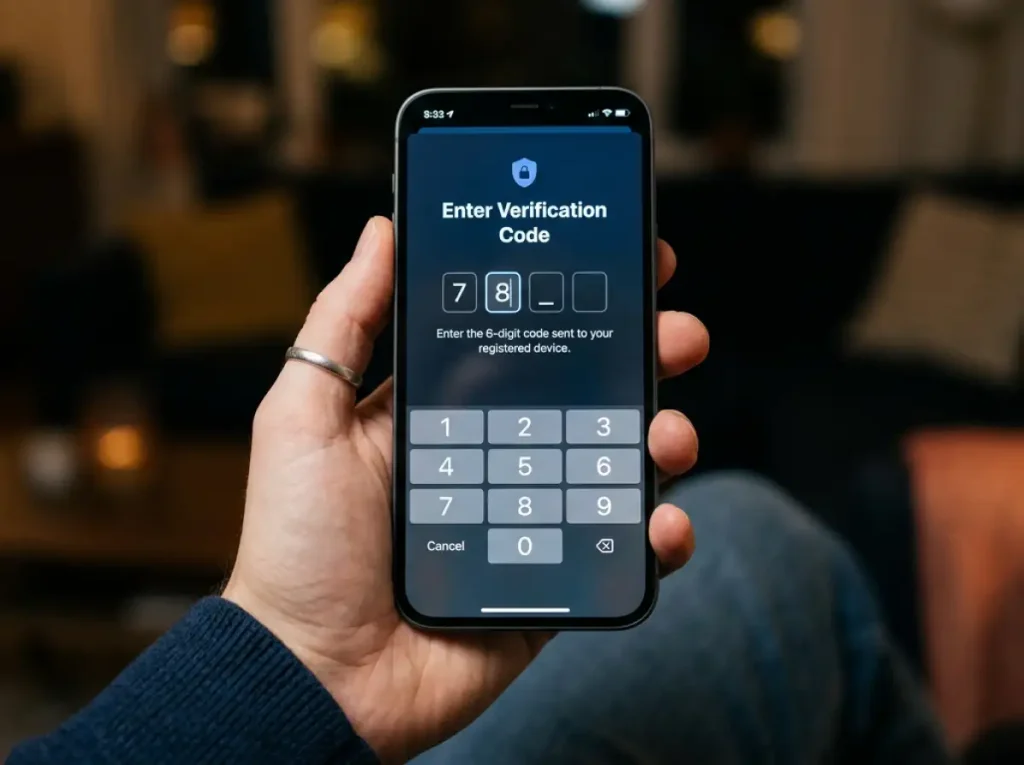
Why Your Neteller Betting Account Is a Target
A colleague in the payments space told me about a punter who lost $3,200 from his Neteller account because he’d used the same password for Neteller and a now-defunct sports tipping forum. When the forum’s user database was breached and published online, someone tried those credentials on Neteller — and they worked. The entire balance was transferred out in under four minutes.
Neteller accounts linked to sports betting are attractive targets for a specific reason: they contain liquid funds that can be moved quickly. Unlike a bank account with transfer delays and multi-day holds, an e-wallet balance can be sent to another wallet, loaded onto a prepaid card, or transferred to a cryptocurrency exchange in minutes. Among Neteller’s top industry verticals, sports betting ranks alongside forex and poker — all industries where accounts carry accessible cash balances and where users transact frequently enough that a single fraudulent transfer might not be immediately noticed.
Setting Up Two-Factor Authentication Properly
Two-factor authentication is the single most effective security measure you can implement on your Neteller account, and it takes about three minutes to set up. If you do nothing else from this guide, do this.
Neteller supports 2FA through authenticator apps — Google Authenticator, Authy, Microsoft Authenticator — and through SMS codes. The authenticator app method is more secure than SMS. SIM-swapping attacks, where a fraudster convinces your mobile carrier to transfer your phone number to a new SIM, can intercept SMS codes. Authenticator apps generate codes locally on your device, making them immune to SIM-swap exploits.
To enable 2FA, navigate to your Neteller security settings, select two-factor authentication, and follow the prompts to link an authenticator app. You’ll scan a QR code, enter the generated code to confirm the link, and receive backup recovery codes. Store those recovery codes somewhere secure — not in a note on your phone or a text file on your desktop. A password manager, a physical safe, or even a piece of paper in a locked drawer. If you lose your phone and your recovery codes, regaining access to your Neteller account becomes a lengthy process involving identity verification through support.
Once 2FA is active, every login attempt requires both your password and a time-based code from your authenticator app. Even if someone obtains your password, they can’t access your account without physical possession of your authentication device. Digital wallets globally have reached 4.5 billion users, and as the user base grows, so does the volume of credential-based attacks. 2FA is the barrier that stops stolen passwords from becoming stolen funds.
Recognising Phishing Scams Targeting Neteller Bettors
I receive phishing emails impersonating Neteller at least twice a month. They’ve become sophisticated enough that the first glance doesn’t always give them away — the logos are right, the formatting is professional, and the language mimics Neteller’s actual communications. The giveaways are in the details.
The most common phishing approach is an “account verification” or “security alert” email that asks you to click a link and log in to confirm your identity. The link leads to a replica of Neteller’s login page, hosted on a domain that looks similar but isn’t the real one. You enter your credentials, the phisher captures them, and within minutes they’re logging into your real Neteller account.
Red flags to watch for: sender email addresses that don’t match Neteller’s official domain, URLs that use similar but slightly different domain names (nete11er.com instead of neteller.com), urgency language designed to panic you into acting without thinking (“your account will be suspended in 24 hours”), and requests for information that Neteller would never ask for via email (your full password, your 2FA backup codes, your PIN).
The simplest defence: never click login links in emails. If you receive a notification that requires action on your Neteller account, open a new browser tab, type neteller.com directly, and log in from there. If there’s a genuine issue, you’ll see it in your account dashboard. If there isn’t, the email was a phishing attempt, and you’ve just avoided it. Apply the same principle to SMS messages claiming to be from Neteller — navigate to the app or website directly rather than following any embedded links.
Managing Trusted Devices and Login Alerts
Neteller’s device management features are underused by most punters. The platform tracks which devices have accessed your account and allows you to review, manage, and remove trusted devices through your security settings.
Periodically reviewing your trusted device list is a habit worth building. If you see a device you don’t recognise — a browser or operating system you’ve never used — that’s a red flag warranting immediate action: change your password, revoke all trusted devices, and contact support.
Login notifications alert you via email or push notification whenever your account is accessed from a new device or location. Enable these. The notification won’t prevent an unauthorised login, but it gives you immediate awareness of one. If you receive a login alert you didn’t initiate, you can freeze your account within seconds through the app — stopping any fraudulent activity before it progresses to a transfer.
Public devices — hotel business centres, shared computers, library terminals — should never be used to access your Neteller account. Even if you log out properly, keyloggers, browser cache, and session hijacking tools can capture your credentials. Mobile devices on public Wi-Fi are a lesser risk but still worth caution: use your mobile data connection rather than public Wi-Fi when accessing Neteller or any financial account.
What to Do If Your Account Is Compromised
Speed matters more than anything else in the first few minutes after a compromise. Every second you delay is a second the attacker uses to move your funds.
First, freeze your account. The Neteller app provides an instant account lock feature. Tap it. This prevents any outgoing transactions while you assess the situation. If you can’t access the app because the attacker has changed your password, contact Neteller support immediately through live chat or phone and request an emergency account freeze.
Second, change your password from a device you trust — not the one that may be compromised. Use a new, unique password that you haven’t used anywhere else. If you weren’t using 2FA before the compromise, enable it now as part of the recovery process.
Third, check your transaction history for any unauthorised transfers. Note the amounts, destinations, and timestamps. Report these to Neteller support and request a formal investigation. The sooner you report unauthorised transactions, the higher the chance of recovering funds before they’re moved beyond Paysafe’s reach.
Fourth, review every other account that shared the same password or email address. If the same credentials were used for sportsbook accounts, email, or other financial services, change those passwords immediately. Credential stuffing — where attackers test stolen credentials across multiple platforms — is the most common method of account compromise, and your Neteller breach may indicate broader exposure. The safety and regulation review provides broader context on Neteller’s security infrastructure and what protections exist at the platform level.
The regulatory backing is covered in is Neteller safe.
The wider context sits in our guide to Neteller betting in Australia.
