
Neteller Transaction History: How to Track and Export Your Records
 Available in US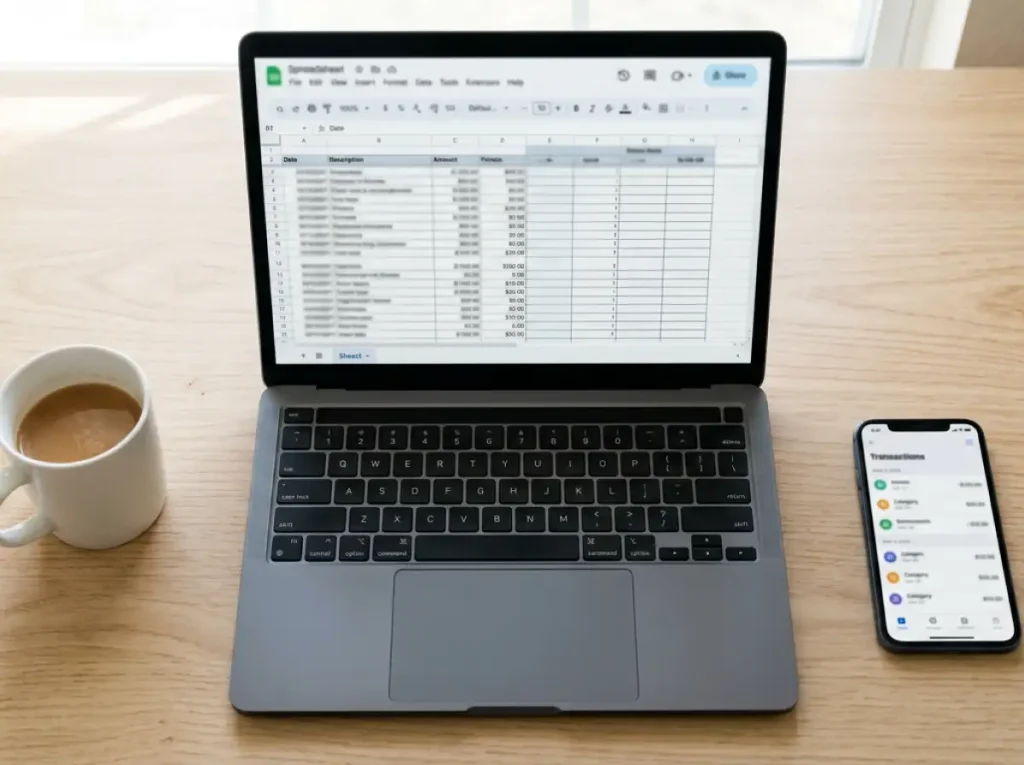
Why Your Neteller Transaction History Matters for Betting
Last tax season, a punter I advise came to me with a shoebox problem — not a literal shoebox, but the digital equivalent. Nine months of Neteller transactions scattered across email confirmations, sportsbook statements, and vague memories of what he’d deposited where. Trying to reconstruct his betting activity for the year was like assembling a jigsaw puzzle with half the pieces missing.
Your Neteller transaction history is more than a record of deposits and withdrawals. It’s a financial diary that captures every interaction between your e-wallet and the sportsbooks you use. Neteller processes over $7 billion in annual transaction volume globally, and every cent of it is logged. For Australian punters, that log serves three purposes: bankroll management, tax documentation, and responsible gambling self-monitoring. Ignoring it costs you money, time, and potentially peace of mind.
Viewing and Filtering Transactions in Neteller
I check my Neteller transaction history at least once a week — a habit that takes about two minutes and has caught errors, duplicate charges, and unexpected fees more times than I can count.
In the Neteller app, your transaction history is accessible from the main dashboard. Tap the activity or history icon, and you’ll see a chronological list of every transaction — incoming and outgoing. Each entry shows the date, the merchant name (or “Bank Withdrawal,” “Card Deposit,” etc.), the amount, and the transaction status (completed, pending, failed, reversed).
On the web interface, the transaction history page offers more robust filtering. You can filter by date range, transaction type (deposits, withdrawals, transfers), status, and sometimes by merchant. This filtering is particularly useful when you’re looking for a specific transaction — say, a deposit at a particular sportsbook three months ago that you need to reference for a customer support query.
One feature worth knowing about: pending transactions appear separately from completed ones. If a sportsbook withdrawal is “in progress,” it shows as pending in your Neteller history until the funds actually arrive. Watching the pending section after requesting a withdrawal gives you real-time visibility into where your money is in the processing pipeline.
The 70% male, 18-45 demographic that characterises Neteller’s iGaming user base tends to be digitally comfortable, and the transaction interface reflects that assumption. It’s functional rather than hand-holding. If you’ve used any banking app, the layout will feel familiar. If you haven’t, spend ten minutes exploring the filters and display options before you need them for a specific purpose.
Exporting Statements: CSV, PDF, and Date Ranges
Viewing transactions on-screen works for spot checks. For any serious analysis — tax preparation, annual budgeting, disputing a charge — you need an export.
Neteller provides statement exports in multiple formats. CSV files are the most versatile for punters who want to analyse their data in a spreadsheet. Each row represents a transaction, with columns for date, time, merchant, transaction type, amount, currency, fee, and status. Drop this into Excel or Google Sheets, and you can sort, filter, and calculate totals in seconds.
PDF statements provide a formatted, printable document that looks more like a traditional bank statement. This is the format to use if you need to present your transaction history to an accountant, a financial adviser, or in any formal context where a raw spreadsheet wouldn’t be appropriate.
Date range selection lets you export precisely the period you need. Monthly statements for ongoing tracking, quarterly exports for review, annual exports for tax time — the flexibility is there. I export quarterly and store the files in a dedicated folder. That way, my annual review is just a matter of opening four files rather than trying to reconstruct twelve months at once.
A word of caution on data retention: Neteller’s interface may not display your full history indefinitely. Older transactions can be archived or require a support request to retrieve. Exporting regularly — at least quarterly — ensures you have a local copy of every transaction regardless of what Neteller’s retention policy does to your on-screen history down the line.
Using Neteller Records for Tax and Budgeting
Australia’s tax treatment of gambling winnings is relatively straightforward for recreational punters — winnings from gambling are generally not taxable for individuals who are not professional gamblers. But “generally” isn’t “never,” and the distinction between recreational and professional betting isn’t always clear-cut. Your Neteller transaction history is the documentary evidence that supports your position either way.
For recreational punters, the transaction history serves as proof that betting activity is occasional and not constituting a business. The ATO looks at factors like frequency, volume, methodology, and whether betting represents a primary income source. A Neteller export showing sporadic deposits of modest amounts paints a very different picture than one showing daily, high-volume activity with systematic patterns.
For punters whose activity might edge toward professional territory — regular, high-volume, methodical — the transaction history becomes essential documentation. Professional gambling income is taxable, but professional gambling losses are deductible. Without comprehensive records, you can’t substantiate either side of the equation. Neteller’s CSV export feeds directly into any accounting software, making record-keeping painless if you set it up from the start.
Beyond tax, your transaction history is a budgeting tool. I calculate my net gambling position quarterly: total deposits to sportsbooks minus total withdrawals received. That single number tells me whether I’m ahead or behind over the period, stripped of the emotional highs and lows that individual bets create. It’s a reality check that’s hard to argue with — and the responsible gambling guide covers how to use this data for self-monitoring purposes.
My workflow is simple: export CSV at the end of each quarter, calculate net deposit-to-withdrawal position, compare against my budget allocation for gambling, and adjust the next quarter’s Neteller funding accordingly. The entire process takes fifteen minutes and prevents the slow drift into overspending that catches punters who never look at their aggregate numbers.
Support can pull the same records: customer support.
The wider context sits in our guide to Neteller betting in Australia.
